 Sign in
CSCS, CPCS, first aid.
See what is due.
Stop finding out at the gate. Calx shows what is due before site does.
Calx records certificate dates. It does not confirm someone is allowed to work.
You find out too late
The card runs out the night before site.
Dates sit in a spreadsheet one person owns.
Cards live in photos and WhatsApp.
Add the crew. See Due.
Name, trade, card type, number, expiry. A photo if you have one.
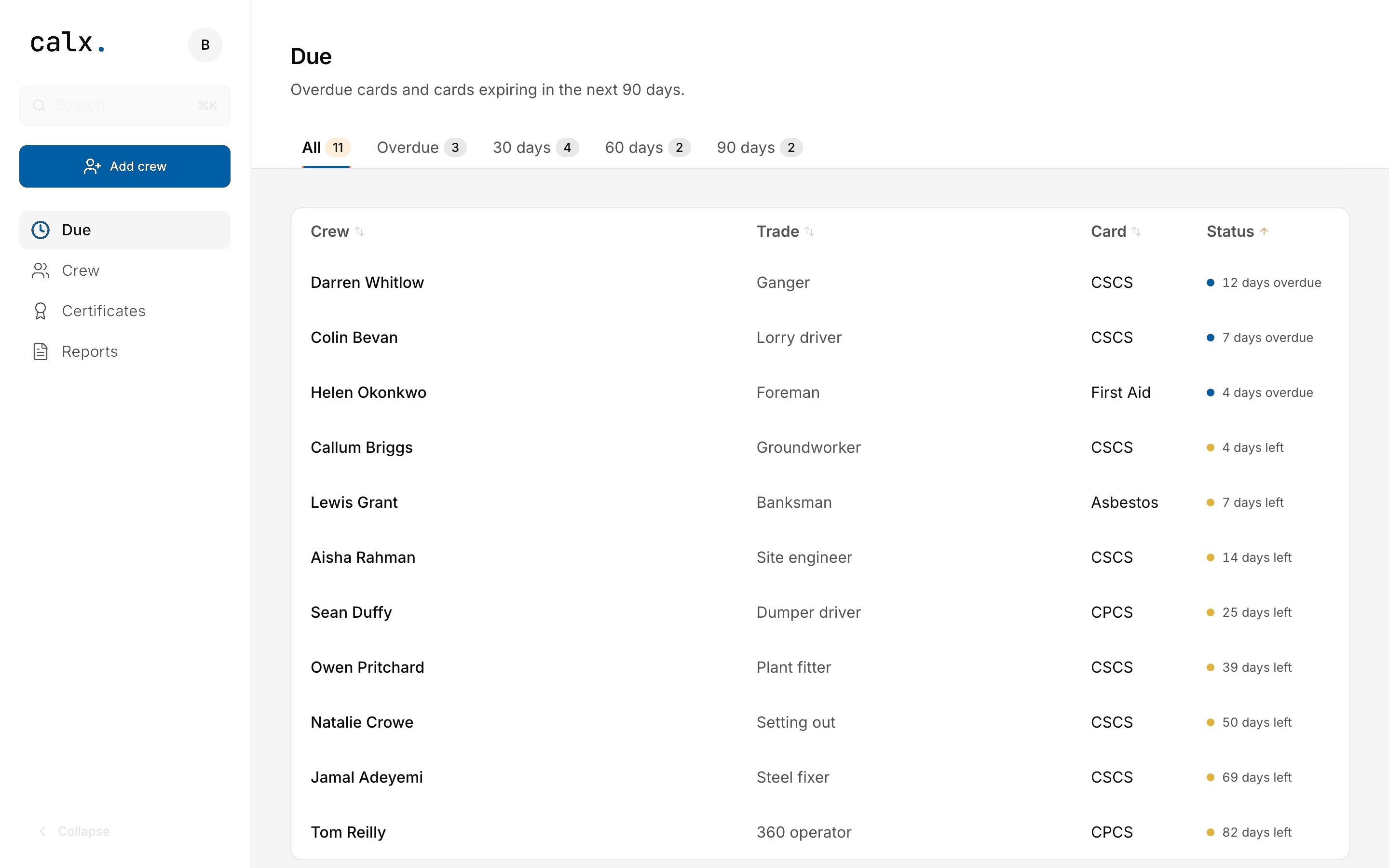
Due lists overdue cards and the next 90 days.
Example only. Your Due list uses the dates you enter.
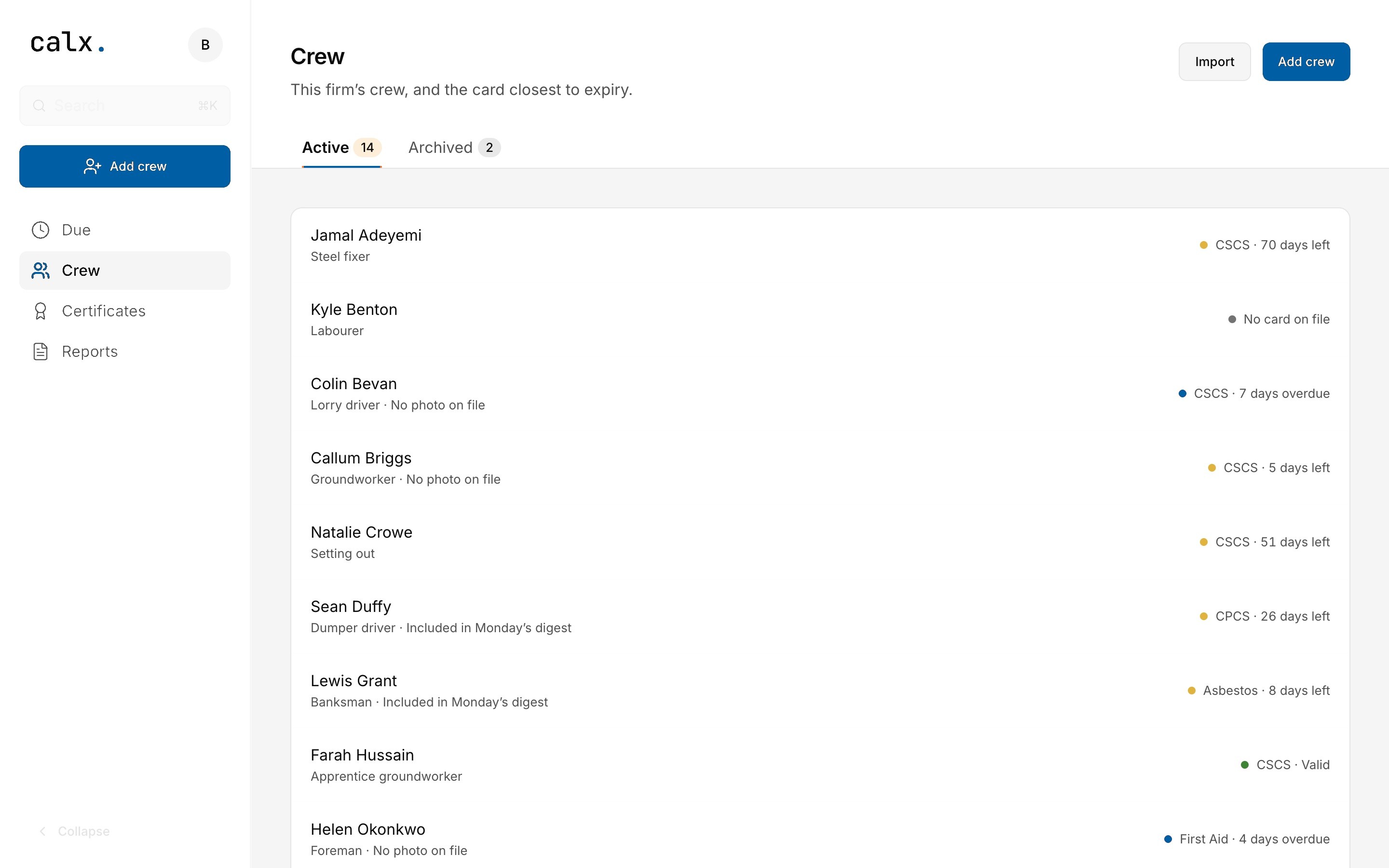
Know before site does
A reminder around 30, 14, and 7 days before the date, on the day, again once it is overdue, and Monday’s digest of the next 30 days. Check Due yourself — an email can fail.
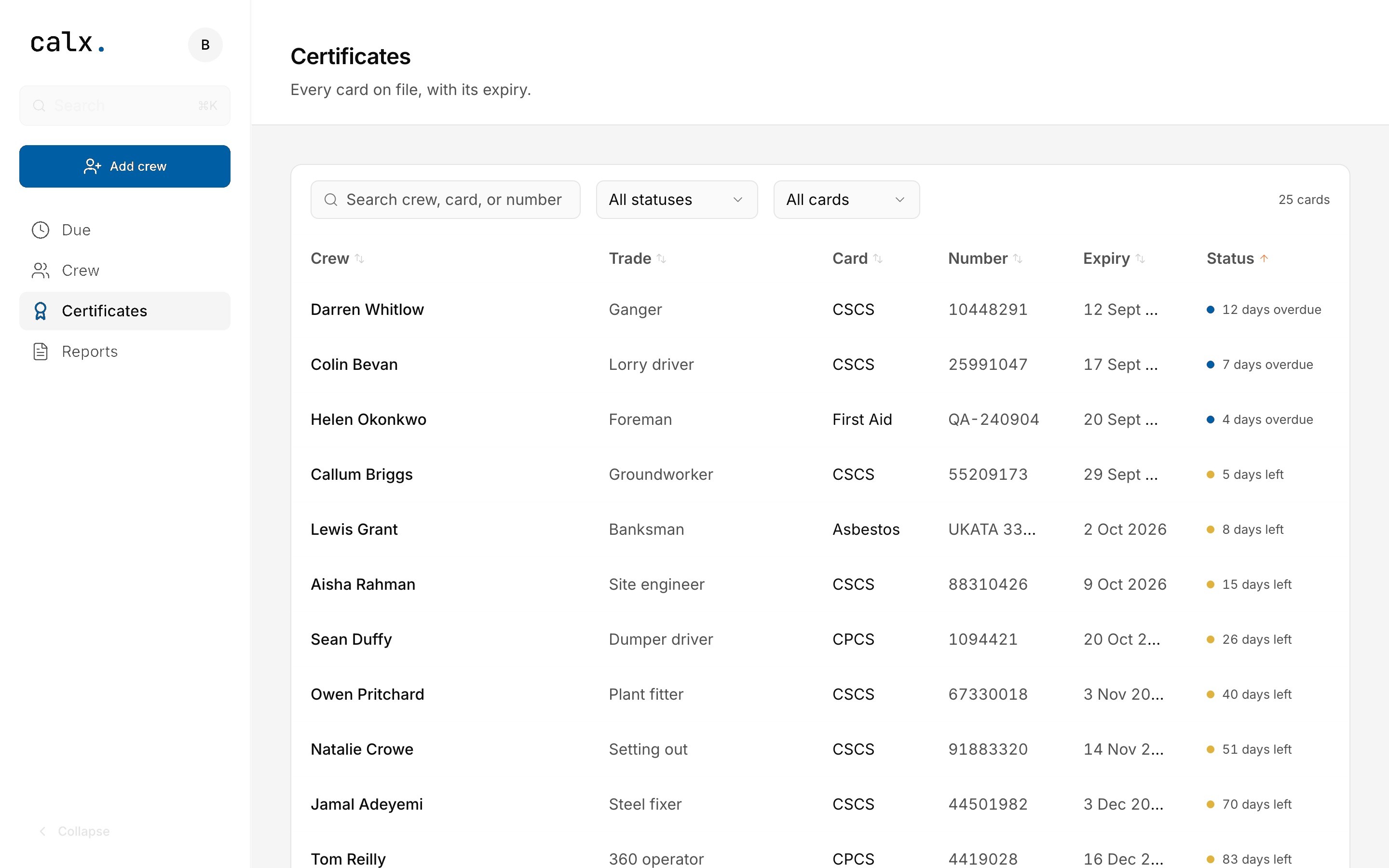
Every card on file
Search crew, card, or number. Download CSV from Reports when you need a sheet.
Questions
Why not the spreadsheet?
A spreadsheet sits with one person. Due shows overdue cards and the next 90 days, Calx emails you before the date, and Reports can still download a CSV when you need a sheet.
Does it check the card with CSCS?
No. Calx records the date you enter. It does not confirm someone is allowed to work, and a record is not a check against CSCS, CPCS, or any other scheme.
How do the reminders work?
Emails around 30, 14, and 7 days before expiry, on the day, and once overdue. Monday’s digest covers overdue cards and the next 30 days. Check Due yourself — an email can fail.
Who adds the cards?
You do. Name, trade, card type, number, expiry, and a photo if you have one — one by one, or import a CSV on Crew. The person on the card does not need a login.
What does £20 cover?
The firm, for a month. Unlimited crew. No setup fee. Cancel anytime, and access runs to the end of the month you have paid for. VAT may be added where it applies.
Can I export the records?
Yes. Reports downloads Crew, Certificates, or Due as CSV for Excel or Google Sheets. The firm owns the data. For a full account wipe or a data processing addendum, email support@getcalx.co.uk.
£20/month. Unlimited crew. Cancel anytime.